Since 2007 | 19+ years of experience

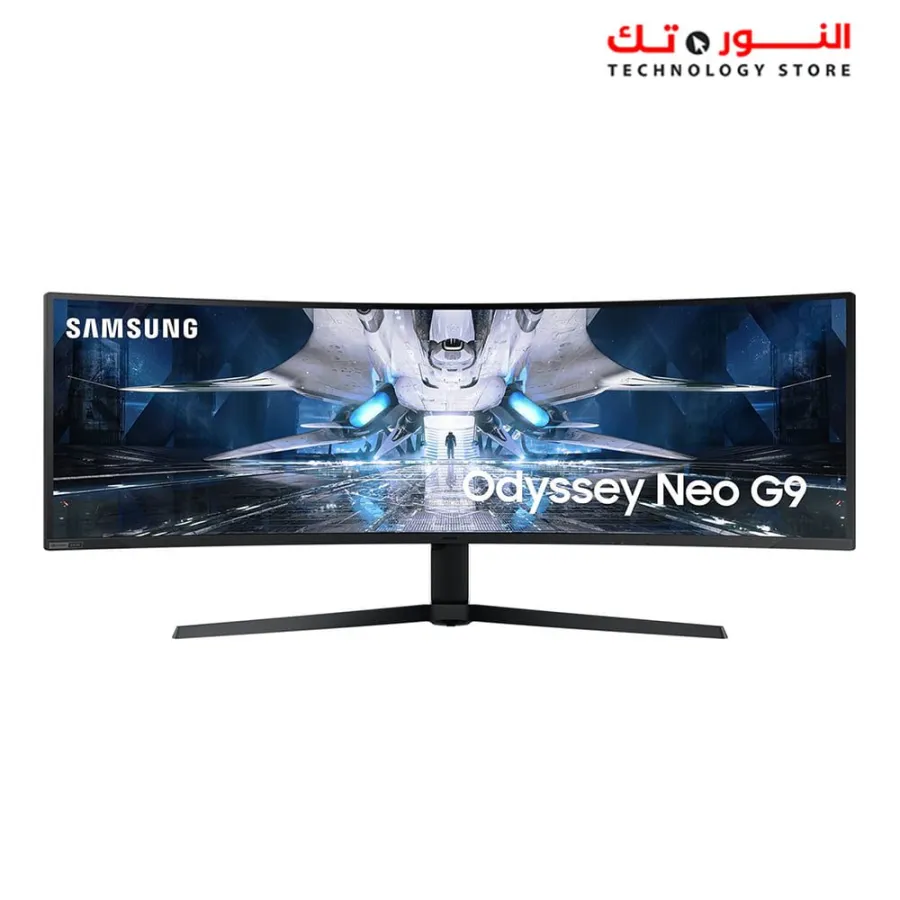
Samsung 49 Odyssey Neo G9 LS49AG950NMXZN DQHD (5120 x 1440) 240Hz UltraWide Curved Screen Gaming Monitor

Samsung 49 Odyssey Neo G9 LS49AG950NMXZN DQHD (5120 x 1440) 240Hz UltraWide Curved Screen Gaming Monitor

⁦71.499,00 EGP⁩
SamsungSamsung

Out of stock

1
Order via WhatsApp

SKU: 2431

Categories:Computer Components,Monitors

Samsung 49 Odyssey Neo G9 LS49AG950NMXZN DQHD (5120 x 1440) 240Hz UltraWide Curved Screen Gaming Monitor

BrandSamsung
BrandSamsung
Screen response time1M.S
Screen typeCURVED
Screen typeVA
Screen refresh rate240 Hz
Screen Size49 inch

Secure payment methods

Secure payment methods
  • Every shipment insured against breakage
  • Fast shipping within 24 hours
  • Inspect on delivery — every piece checked

Description

Samsung 49 Odyssey Neo G9 LS49AG950NMXZN 5K DQHD (5120 x 1440) 240Hz UltraWide Curved Screen Gaming Monitor

Introducing the Odyssey Neo G9 Gaming Monitor

Go beyond

A video shows a screen with an astronaut leaving a starship. The scene pans out to reveal a full curved monitor. The monitor then rotates to its backside, where a circular blue light illuminates around the stand attachment. The monitor then flips back around to an angled front view.

Enter a new era of immersion

Quantum Matrix Technology

An unrivaled visual experience. Revolutionary Quantum Matrix Technology with Quantum Mini LEDs creates controlled brightness and perfect contrast for refined definition. Local dimming zones were increased to 2,048 and combined with the highest 12-bit black levels to create unmatched picture quality.

A video shows a split monitor screen with †Edge LED' on the left with a few large dots and †Quantum Mini-LED' on the right with many small dots. The left then shows ten local dimming zones and the right with 2,048. A shining star then appears on the screen as the monitor rotates to its left.

Catch the detail, defeat your enemies

Quantum HDR 2000

See every detail in all its glory. From gloomy shadows to sun-scorched scenes, 2,000 nit peak brightness and 1,000,000:1 contrast ratio enable enhanced colour expression and depth. Get a competitive edge while playing Ray Tracing games by spotting hidden enemies using their reflections.

A video shows a first-person shooter game with †Conventional' colors focused on the entrance of an alley with a †VDE' badge displayed in the corner of the frame. Two black-and-white and color bars get longer and more sophisticated as it's changed from conventional to HDR. An enemy's shadow becomes m

Double your discoveries

Dual QHD

The gaming world of your imagination made real. The 49-inch DQHD resolution brings you a display as wide as two QHD monitors sitting side by side, with incredibly detailed, pin-sharp images. Experience a more encompassing view with maximum space to take in all the action.

A G95NA monitor is shown with a starship blasting through space towards a light source. The screen is split into two equal sections with †QHD' shown in the middle of each section. Above the monitor a line stretches the length of both sides with the word †DQHD' along with the pixel count of 5120 x 1440.

Overwhelm your senses

1000R curved screen

Vivid scenes wrap even more tightly around you. Experience the next level of heart-pounding gaming that's superior to anything you've seen before. The 1000R 49-inch super ultra-wide display fills your peripheral vision and draws you into the character's shoes.

The top of a curved screen monitor is shown with the core lighting on its back lighting up in blue. The logo for TUV is located in the left lower corner. Lines next to the monitor also represent curvatures of flat and 1800R monitors for comparison against 1000R. The top of a curved screen monitor is shown with the core lighting on its back lighting up in blue. The logo for TUV is located in the left lower corner. Lines next to the monitor also represent curvatures of flat and 1800R monitors for comparison against 1000R.

Designed to light up your world

Core lighting design with CoreSync

Surround yourself in every scene. With core lighting, add personality to your setup with multiple colour modes that leap off the screen and into your reality. Gaming escapes beyond the screen with CoreSync technology that matches your game's on-screen colours for world-blending immersion.

After close-up of core lighting in the back side of the monitor, two monitors are shown with one monitor showing the display and the other monitor showing the back of the screen. The left monitor with screen showing 3 different game scenes in different colors and tones - first blue, second red and t

Giving you the edge in every playthrough

240Hz refresh rate and 1ms response time

Supreme speed in every scene. Industry-leading 240Hz refresh rate eliminates lag for exhilarating gameplay and ultra-smooth action scene-by-scene. With 1ms response time and blur-free frames, players have a competitive edge with optimised technology – every playthrough.

A G95NA monitor shows two spaceships blasting off into space. The monitor is split in two to show the difference in display quality comparing two different refresh rates and response time, one with 120Hz and 5ms and the other with 240Hz and 1ms which shows fewer lagging blurs.

Make every second count

Low Input Lag

Seize winning control. The incredibly low 2ms input lag brings never-before-experienced response accuracy to catch notoriously agile enemies. It's so fast, that action begins instantly when you turn on the screen, with virtually no delay between your peripherals and the game.

Two screens are shown side-by-side both with starships aiming their guns at another starship flying over an unknown planet. On the right the starship has successfully fired and shows †Low input Lag ON' but on the left the starship has yet to fire and shows †Low input Lag off.'

Focus without ever breaking flow

G-Sync compatible

Hyper action made seamless. G-Sync compatibility keeps the GPU and panel synced up to eliminate choppiness, screen lag, and image tears. Fast-action and complex game scenes are stable and stutter-free with AMD FreeSync Premium Pro for your competitive edge.

Two monitors are shown side-by-side with starships floating in space on both screens. One screen is shown with NVIDIA G-Sync on and displays a smooth ship movement while the other monitor is shown with G-Sync off and displays a scattered movement with tearing.

Make the most of every moment

Picture-by-Picture

Game, watch, chat—all at the same time. With PBP, view input from two sources simultaneously at their native resolution. Use PIP to resize the second source to up to 25% of the screen. Place windows anywhere using Samsung's screen-splitting Easy Setting Box SW.

A monitor is shown with its screen split into two boxes with the words †PBP (Picture-by-Picture)' displayed above. The left side with †A' in the left upper corner shows a video of vehicles traveling across a desert. In the upper right, another streamer screen is shown within a separate box. The monitor's right side with †B' in the left upper corner shows a third-person video game scene of †Black Desert'.

Connect automatically, in an instant

Auto Source Switch+

Power on for instant play. With Auto Source Switch+, your monitor detects when connected devices are turned on and instantly switches to the new source signal. This helps you get to your game action faster without flipping through multiple input sources.

A monitor is shown alongside a laptop and a gaming console. Both the PC and console have cables running from the back of the respective devices to the monitor. First the monitor shows same excel file on the screen with laptop. But as console turns on with the mark †Cable On' appears above the devic

Convenience in mind

Height adjustable stand

Find your winning position. Swivel, tilt and adjust the height until you're set up for victory. Fully compatible with VESA-standard monitor arms, the screen can be moved effortlessly to your ideal position. Multiple ports are easy to access, and hook up to your favourite devices with no mess.

The backs of three G95NA monitors are shown to demonstrate the tilting, swiveling and height adjustment capabilities of the stand. Blue arrows are overlaid over the monitors to show the monitor's areas of motion that allows it to be positioned comfortably for the user. Above the monitors displays two icons, where ergonomic efficiency icon is highlighted with white on the left.

Specifications

  • Resolution 5,120 x 1,440
  • Aspect Ratio 32:9
  • Screen Curvature 1000R
  • Brightness (Typical) 420 cd/㎡
  • Contrast Ratio Static 1,000,000:1
  • Response Time (ms) 1(GTG)
  • our face bookhttps://www.facebook.com/ElnourTechQena

Frequently bought together

Save time — add the matching parts in one click

Bundle total
⁦7.297,00 EGP⁩

You may also like